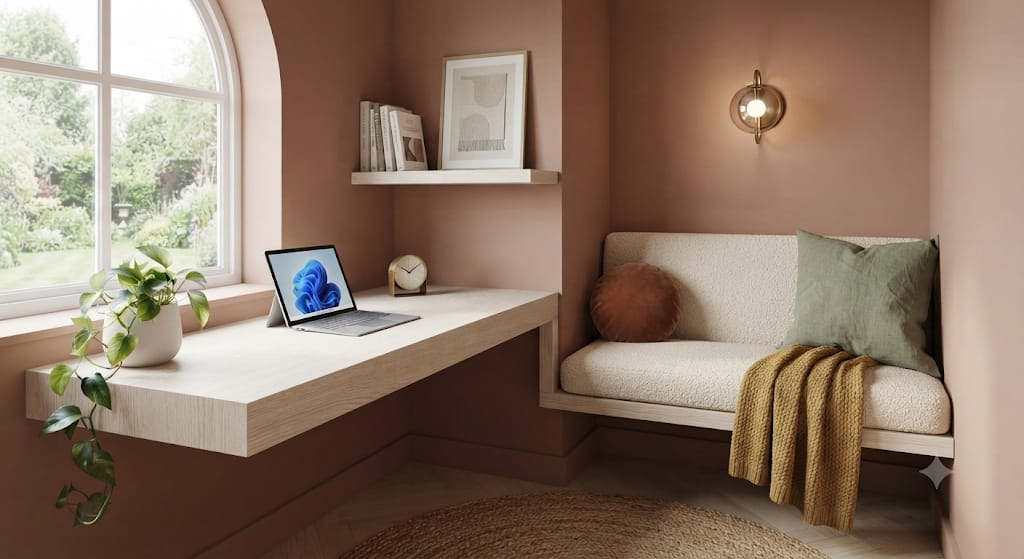
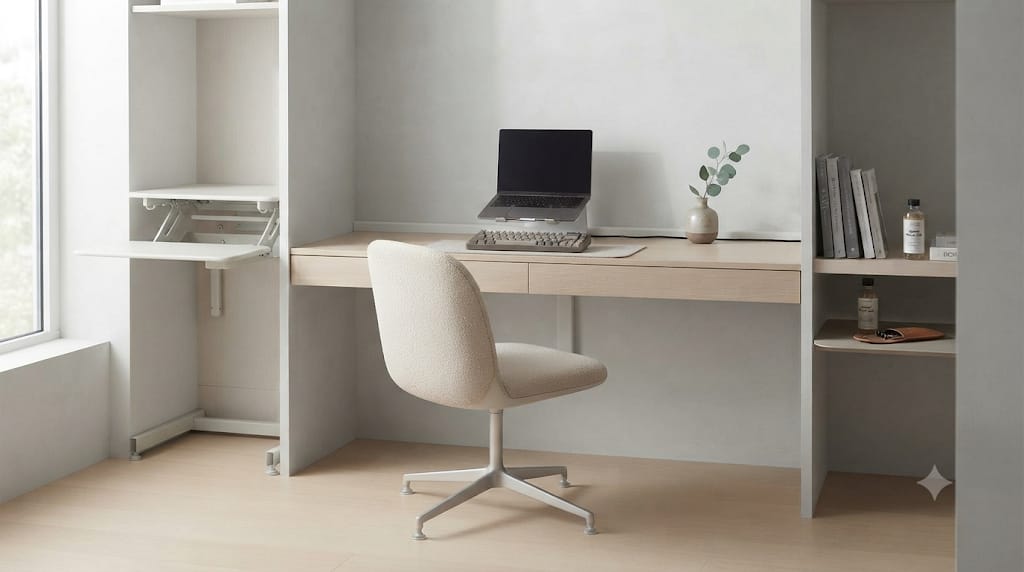
The modern workspace has undergone a quiet revolution. Gone are the days when a home office was merely a clinical collection of plastic peripherals, tangled power cords, and harsh overhead fluorescent lighting. Today, remote professionals, creatives, and digital nomads are prioritizing environments that foster deep focus, mental clarity, and visual tranquility. At the center of this movement is the cozy warm minimalist desk setup—a design philosophy that bridges the gap between cold, sterile functional minimalism and inviting, organic comfort.
Creating a workspace that feels simultaneously spacious and comforting requires a thoughtful balance. Minimalism on its own can easily feel detached or sterile if it relies purely on monochromatic whites, cool grays, and harsh metals. Conversely, attempting to make a space “cozy” without clear boundaries often leads to clutter, visual noise, and reduced productivity.
By combining three foundational elements—warm ambient lighting, natural wooden textures, and intentional decluttering—you transform a routine workstation into a personal sanctuary. This guide explores the design principles, material choices, lighting strategies, and organizational techniques needed to execute this aesthetic perfectly.
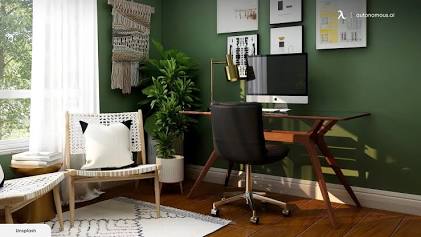
2. Key Elements of Cozy Minimalist Workspace Design
To build a workspace that inspires daily focus without sacrificing comfort, you must understand the interplay between color temperature, material tactility, and spatial economy. Cozy minimalism is not about having fewer things just for the sake of empty space; it is about ensuring every item on your surface serves a clear function or brings intentional aesthetic value.
2.1 The Psychology of Warm Lighting
Lighting dictates the emotional tone of any room. High-kelvin lighting (5000K to 6500K) mimics bright midday sun, which can boost alertness in short bursts but often leads to eye strain and psychological fatigue over long work hours. Cozy setups rely on low-kelvin illumination (2700K to 3000K), which replicates the soft, golden light of late afternoon or candlelight.
Warm light signals the nervous system to remain calm, lowering stress levels while maintaining focus. Incorporating layered, dimmable lighting sources eliminates harsh shadows across your workspace while creating depth and atmosphere.
2.2 The Grounding Effect of Wooden Textures
Synthetic materials like laminates and plastics reflect light harshly and feel cold to the touch. Wood introduces organic grain patterns, natural variations in color tone, and a tactile richness that grounds the entire setup.
- Solid Hardwoods: Walnut, white oak, and cherry offer structural integrity and age gracefully over time.
- Biophilic Connection: Integrating organic textures satisfies our innate biological connection to nature, subtly reducing anxiety during demanding work sessions.
- Visual Anchor: A wooden desktop or monitor riser acts as an anchor, balancing modern aluminum laptops or dark display monitors.
2.3 Functional Intentionality over Empty Space
True minimalism does not require an empty table. Instead, it demands that every object on the desk earns its place. If a device, pen, or lamp does not contribute to your workflow or your mental calm, it belongs inside a drawer or out of sight.
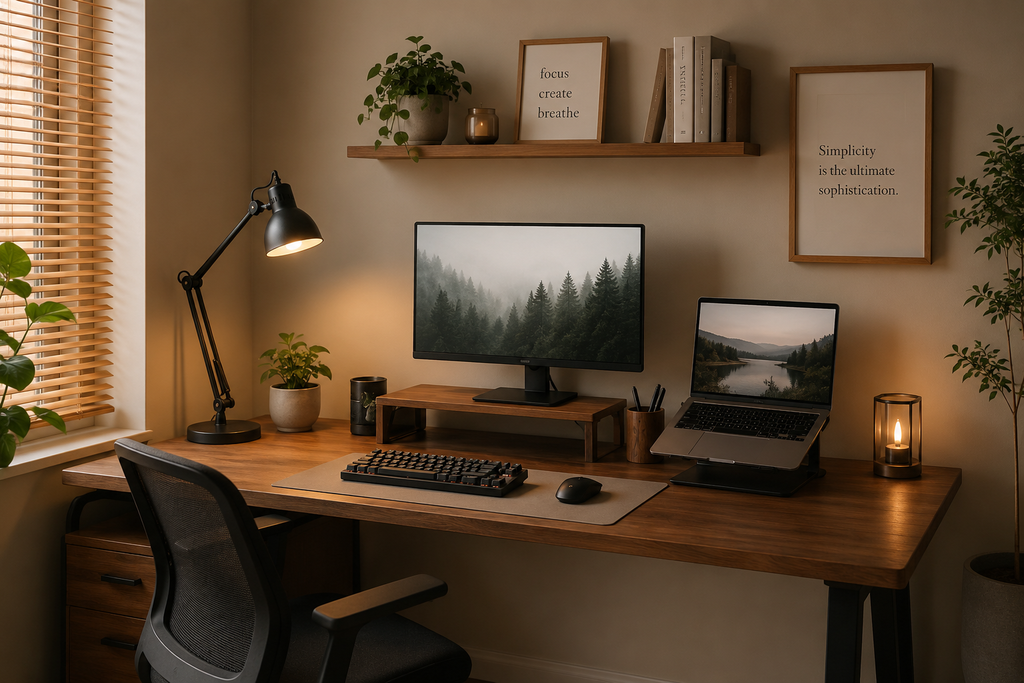
3. Layering Warm Lighting for Atmosphere and Eye Care
Lighting in a cozy minimalist setup must never rely on a single central fixture. Instead, key lighting techniques layer multiple soft sources to create a balanced visual environment.
3.1 Screen Bar Monitor Lights with Warm Temperature Modes
A monitor light bar mounts directly to the top of your display, casting light downward onto your keyboard deck without reflecting off the screen itself.
- Choose light bars with adjustable color temperature controls down to 2700K.
- Use asymmetric optical designs to eliminate screen glare and reduce eye fatigue during late-night sessions.
3.2 Bias Lighting and LED Strip Integration
Attaching warm LED light strips (or addressable COB light strips for seamless glow) to the back of your monitor or under the rear edge of your desk projects light against the wall behind your setup.
- Contrast Reduction: Bias lighting balances the contrast between a bright monitor screen and a dark room, lessening strain on your pupils.
- Diffused Glow: The reflected light creates an atmospheric glow that frames the setup without exposing bare light bulbs.
3.3 Ambient Accent Lamps
Complement your functional task lighting with a dedicated accent lamp placed on a desk corner or adjacent shelf.
- Materials: Look for lamps with frosted glass shades, pleated fabric covers, or ceramic bases.
- Bulb Choice: Use smart warm-white LED bulbs (2200K to 2700K) that allow brightness scheduling throughout the workday.
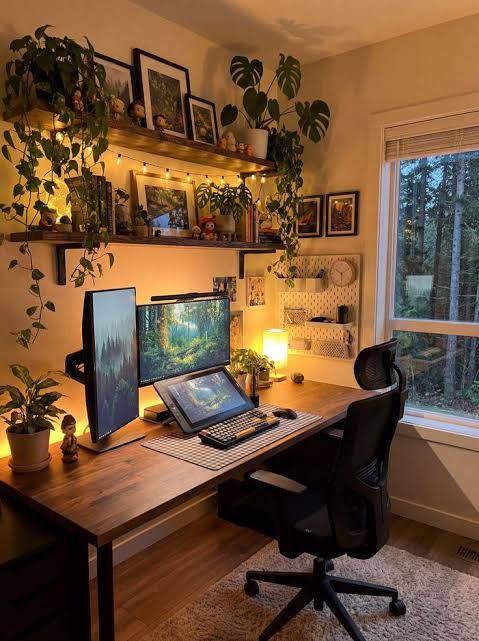
4. Selecting the Perfect Wooden Desk and Tactile Accessories
The desk surface serves as the canvas for your entire setup. Selecting the right wood species and pairing it with soft, tactile materials determines the overall warmth of your workspace.
4.1 Choosing the Right Wood Species
Different wood types carry distinct grain patterns, warm tones, and durability traits:
- American Walnut: Dark, rich brown tones with chocolate undertones. Ideal for sophisticated, moody cozy setups that contrast well with matte black accessories.
- European White Oak: Light tan to golden hue with straight grain patterns. Perfect for airy, Japandi-inspired minimalist aesthetics that emphasize natural sunlight.
- Natural Ash or Birch: Very light tones with subtle graining. Best for budget-conscious setups or minimalist spaces with light-colored walls.
4.2 Desk Pads: Felt vs. Top-Grain Leather
Placing your peripherals directly on a bare wooden surface can feel stark. A high-quality desk mat defines your workspace zone and introduces acoustic dampening.
- Wool Felt Desk Pads: Offer soft tactile comfort, excellent warmth, and high visual softness. Choose dark gray or oatmeal shades to contrast your wood tone.
- Top-Grain Leather Desk Pads: Provide a classic finish that develops a patina over time. Saddle brown or tan leather complements dark walnut desktops seamlessly.
4.3 Wooden Monitor Risers and Shelving
A wooden monitor stand raises your display to ergonomic eye level while creating an extra layer of vertical storage beneath it.
- Keep your keyboard, notebook, or audio interface hidden underneath the shelf when not in use.
- Select a riser made from matching wood stock to create a cohesive design language across your setup.

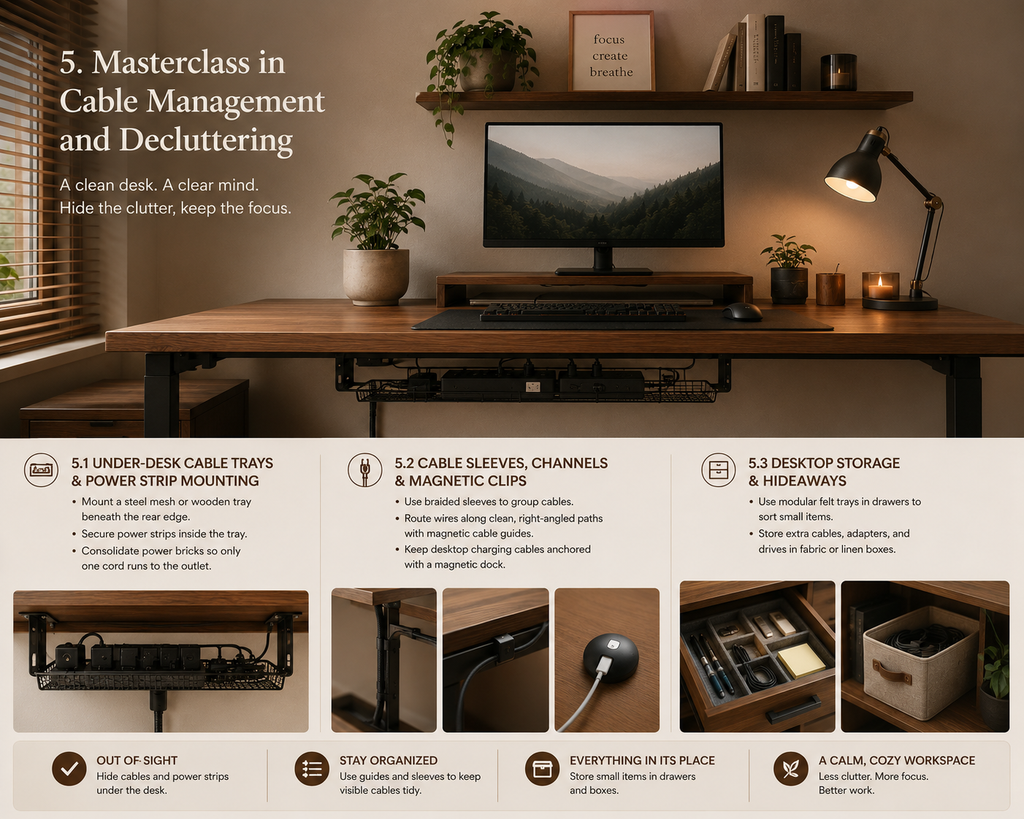
5. Masterclass in Cable Management and Decluttering
Nothing destroys a cozy, minimal vibe faster than visible power cords, dangling charger cables, and scattered paper notes. Achieving a clean, cord-free appearance requires intentional routing behind the scenes.
5.1 Under-Desk Cable Trays and Power Strip Mounting
The first rule of desk organization is keeping power strips off the floor and off the desktop surface.
- Mount a heavy-duty steel mesh or wooden cable tray beneath the rear edge of your desk.
- Secure power strips inside the tray using industrial hook-and-loop fasteners or mounting brackets.
- Consolidate power bricks into the tray so that only one main power cord extends down to the wall outlet.
5.2 Cable Sleeves, Channels, and Magnetic Clips
For cables that must run across visible areas:
- Use braided fabric cable sleeves to group display cables, power cords, and peripheral wires together.
- Attach self-adhesive magnetic cable guides to the back legs of your desk or monitor arm to keep wires running along clean, right-angled paths.
- Keep desktop charging cables anchored with a weighted magnetic dock when not plugged into your devices.
5.3 Desktop Storage and Hideaways
Maintain a clean surface by assigning every small item a hidden storage location.
- Desk Drawers: Utilize modular felt trays inside your desk drawers to sort pens, USB drives, and sticky notes.
- Storage Boxes: Use small fabric or linen storage boxes on nearby shelving for cables, extra adapters, and backup drives.
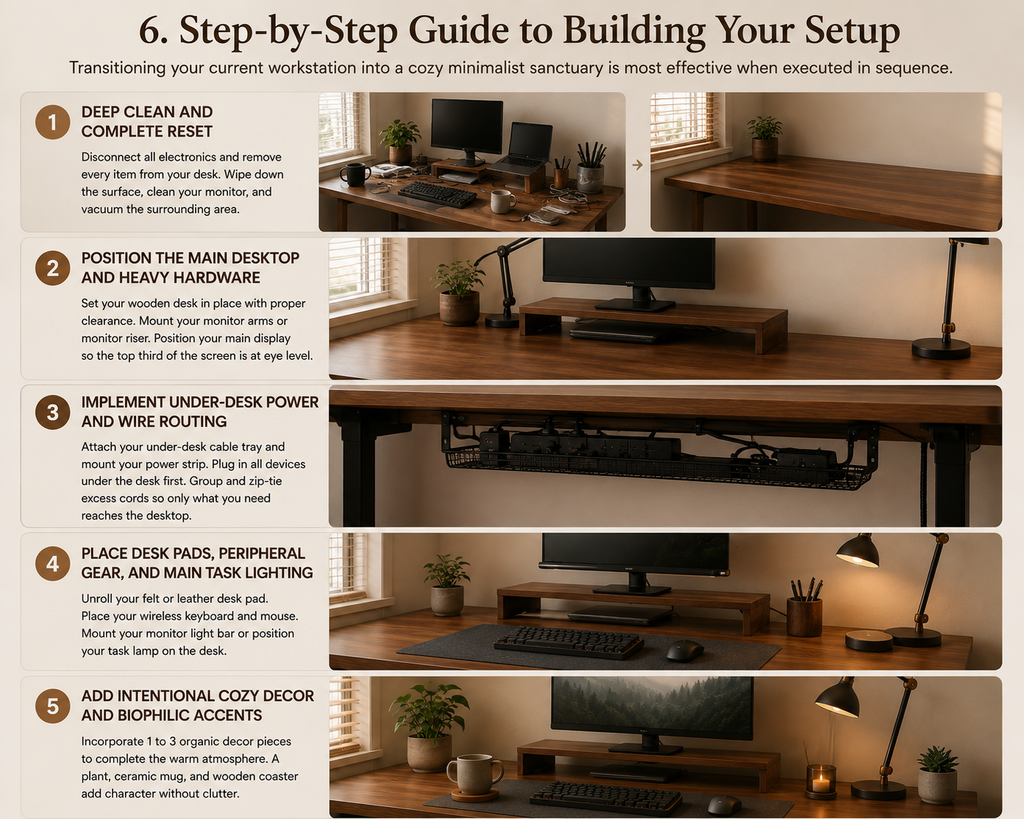
6. Step-by-Step Guide to Building Your Setup
Transitioning your current workstation into a cozy minimalist sanctuary is most effective when executed in sequence.
Step 1: Deep Clean and Complete Reset
Disconnect all electronics and remove every item from your current desk. Wipe down the desk surface, clean your monitor display, and vacuum the surrounding floor area. Starting with a blank slate prevents old clutter habits from transferring to your new design.
Step 2: Position the Main Desktop and Heavy Hardware
Set your wooden desk in place, ensuring adequate clearance from walls for airflow and cable routing. Mount your monitor arms or set up your wooden monitor riser. Position your main display at an ergonomic height where the top third of the screen sits at eye level.
Step 3: Implement Under-Desk Power and Wire Routing
Attach your under-desk cable tray and mount your power strip. Plug in your computer tower, display monitors, and light adapters under the desk first. Group and zip-tie all excess cord lengths inside the tray before bringing any cable up to the desk surface.
Step 4: Place Desk Pads, Peripheral Gear, and Main Task Lighting
Unroll your felt or leather desk pad centered under your screen. Set down your wireless keyboard and mouse. Mount your warm monitor light bar or position your ambient task lamp on the corner of the desk.
Step 5: Add Intentional Cozy Decor and Biophilic Accents
Incorporate 1 to 3 organic decor pieces to complete the warm atmosphere. A small potted plant (such as a pothos, succulent, or snake plant), a ceramic mug, and a wooden coaster add personal character without crowding the work area.
7. Maintaining a Minimalist Workspace Long-Term
Designing a warm minimalist workspace is an initial project, but keeping it clean requires consistent habits.
- The End-of-Day Reset: Spend two minutes at the end of every workday returning pens, notebooks, and cups to their designated spots. Clear off loose papers so you return to an inviting surface the next morning.
- One-In, One-Out Rule: Whenever you buy a new accessory, gadget, or decor item for your desk, commit to removing or storing an older item to keep surface density balanced.
- Digital Minimalist Habits: Keep your digital desktop as clean as your physical desk. Organize files into clear folders and minimize desktop icons to maintain mental clarity while working.
Combining warm lighting tones, rich wooden textures, and disciplined cable management yields a workspace that is both visually restful and exceptionally functional. This balanced environment supports long hours of deep focus while providing a cozy, welcoming atmosphere every time you sit down to work.