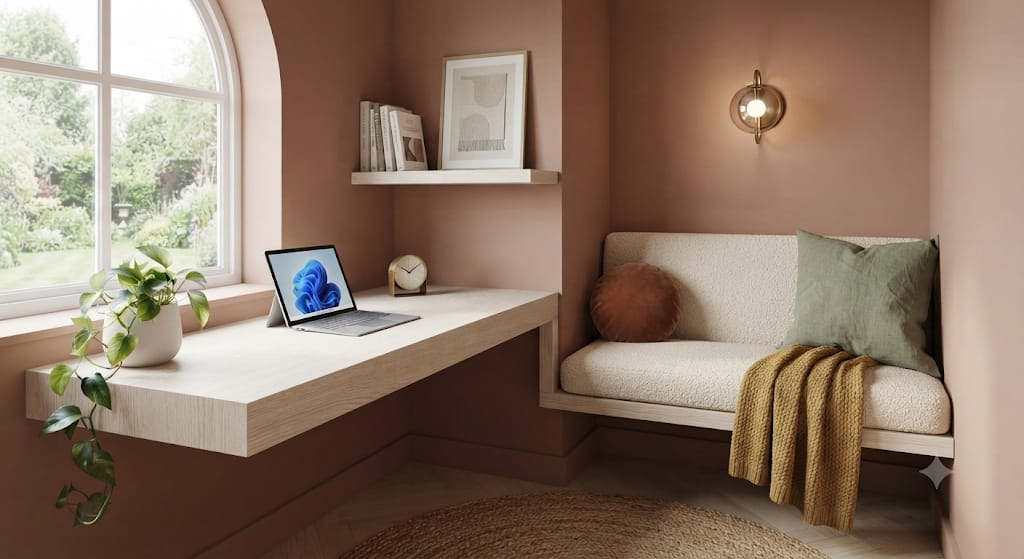
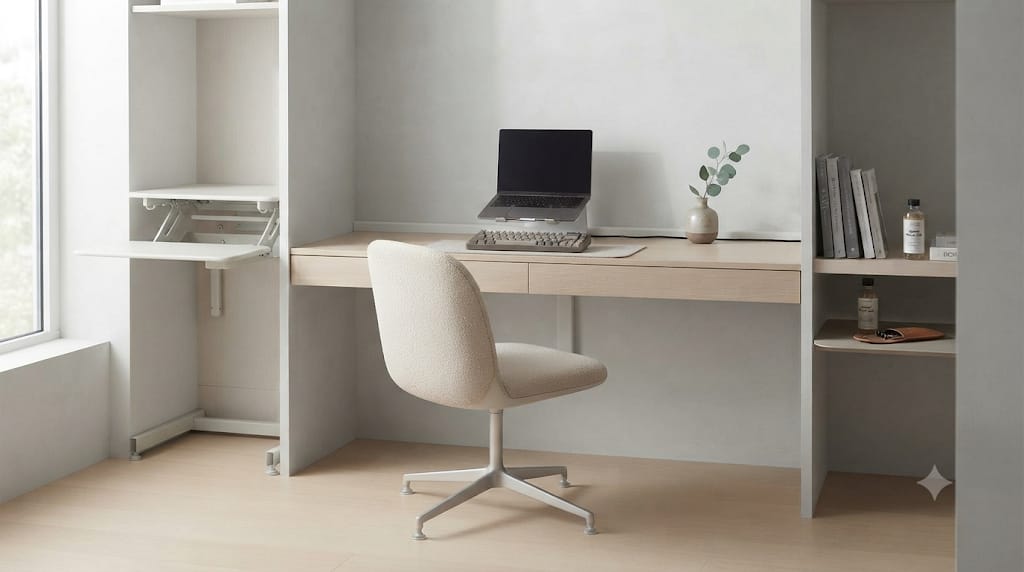
In an era dominated by high-performance workstations, multi-monitor displays, rapid chargers, and peripheral hubs, the modern desk has become a battleground of utility and aesthetics. While advanced hardware elevates productivity, it introduces a persistent visual enemy: chaotic cable clutter. Power bricks dangling from edges, tangled braided cords snake-like across mousepads, and exposed surge protectors disrupt focus and degrade the overall environment.
Enter the minimalist wooden desktop cable management storage box with lid. Far more than a simple storage container, this architectural desk accessory bridges industrial functionality with refined interior design. By encasing high-density electrical infrastructure inside warm, organic hardwoods, it transforms visual noise into a clean, intentional anchor for your entire workspace.

2. The Psychology of Visual Clarity in High-Performance Environments
To understand why a dedicated wooden organizer is essential for high-end setups, one must examine the psychological impact of environmental clutter. Human cognitive processing is deeply tied to visual input. When your field of view contains chaotic elements like crisscrossing black wires, power strip LEDs flickering randomly, and dust-attracting adapter clusters, your brain micro-processes these distractions constantly.
This micro-distraction contributes to subtle cognitive fatigue over long working sessions. A minimalist desk setup operates on the principle of intentional simplicity: every item present serves an explicit function or enhances emotional calm. By routing power distribution into a single, beautifully crafted wooden enclosure, you eliminate sensory friction.
Solid wood introduces a biophilic element to your workspace. Research in environmental psychology consistently shows that natural wood textures, warm grain patterns, and organic tones lower stress markers and foster sustained concentration. Replacing harsh plastic cable trays with a sculpted walnut, oak, or maple box converts utilitarian necessity into an aesthetic highlight.
3. Architectural Craftsmanship: Wood Selection and Thermal Dynamics
Not all desktop storage enclosures are crafted equal. Selecting or designing a premium cable management box requires an understanding of wood species, joinery techniques, and structural safety requirements.
3.1 American Walnut
Renowned for its deep brown hues, chocolate undertones, and striking grain variation, American Black Walnut is the gold standard for executive desk accessories. It pairs effortlessly with dark-themed setups, matte black monitor arms, and premium leather desk pads. Walnut possesses high dimensional stability, ensuring that the lid maintains a flush fit over years of climate variations.
3.2 White Oak and Ash
For Nordic, Japandi, or light-toned workspaces, White Oak and Ash offer clean, airy aesthetics. Oak features prominent ray patterns and structural rigidity, making it resilient to daily handling. Its natural golden-tan undertones complement light wood desk surfaces like butcher-block birch or pale bamboo.
3.3 Bamboo and Composite Hardwoods
Engineered bamboo offers an eco-friendly, ultra-stable alternative. Its uniform grain lines align seamlessly with ultra-modern, geometric desk themes. Higher-end models utilize cross-laminated bamboo blocks to prevent warping caused by internal heat build-up from large laptop power bricks.
3.4 Thermal Dissipation and Ventilation Design
A critical engineering consideration often overlooked in generic storage boxes is heat management. Power adapters, GaN fast chargers, and surge protectors generate considerable thermal energy when under continuous load. Superior wooden cable boxes feature precision-cut bottom ventilation slots and elevated rubber feet. These design elements encourage passive convection: cool air enters from underneath, rises through the interior chamber, and exits through strategically oversized cable pass-through channels.

4. Ergonomic Layout and Cable Routing Engineering
Achieving a clean desk setup requires a systematic approach to cable routing. A high-performing minimalist wooden cable box works alongside your existing devices to keep wires hidden yet easily accessible.
4.1 Sizing and Internal Volume
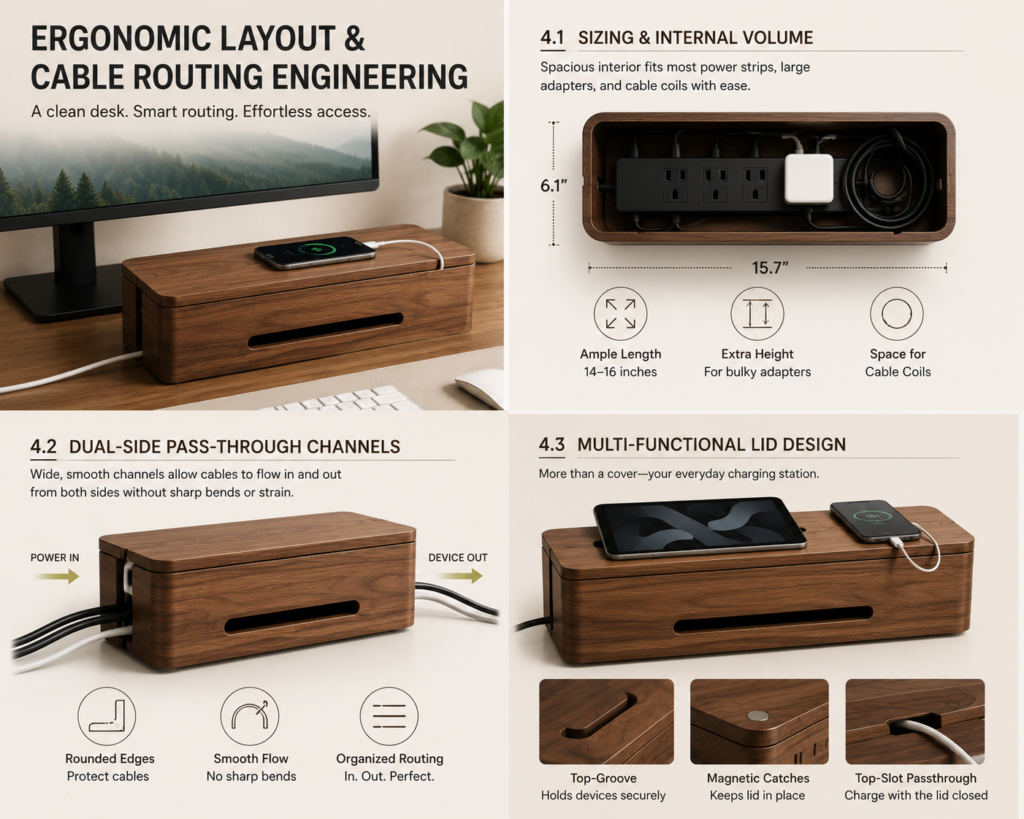
Before integrating a storage box, verify the dimensions of your primary surge protector or power strip. The internal cavity must accommodate not only the length of the power bar, but also the height of bulky AC adapters and oversized right-angle plugs. Premium units feature internal lengths ranging from 14 to 16 inches, providing ample clearance for multi-outlet strips along with surplus cable spools.
4.2 Dual-Side Pass-Through Channels
Standard cable boxes feature single-side cutouts that force awkward cable bends. Advanced minimalist designs incorporate wide, smoothed side channels lined with rounded edges. This allows main power supply trunks to enter from one side while monitor, audio, and device cables exit toward their respective destinations without sharp bend radii that could damage internal copper wiring.
4.3 Multi-Functional Lid Design
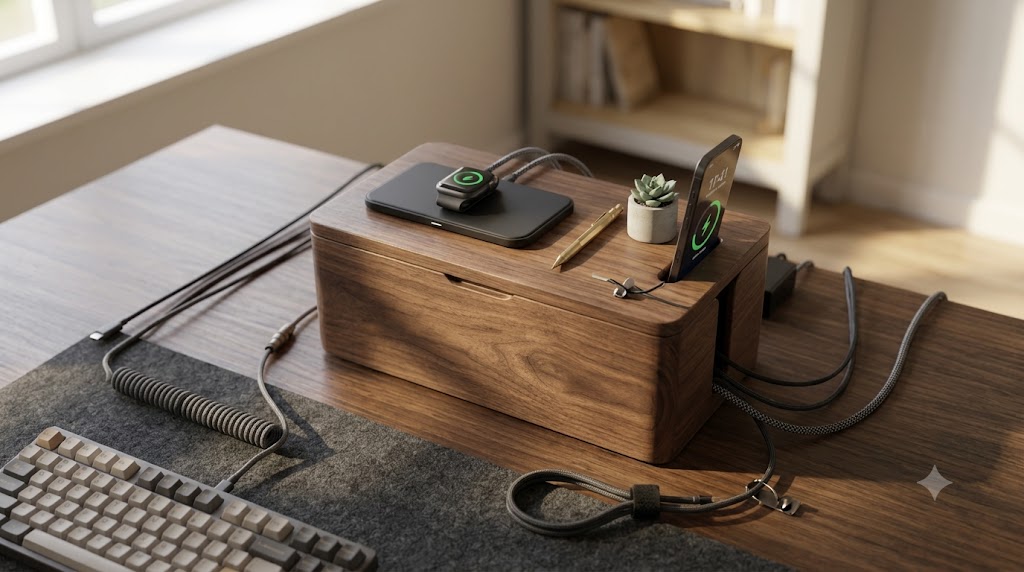
The lid is not merely a cover; it acts as a secondary station for handheld devices. Top-tier designs integrate shallow top-grooves, magnetic lid catches, and integrated top-slot cable passthroughs. This allows you to rest smartphones, tablets, or wireless charging pads directly on top of the box, turning the enclosure into a centralized charging station without exposing extra wire length.
5. Integrating a Wooden Cable Enclosure into Premium Desk Themes
A minimalist wooden cable management box adapts fluidly across distinct interior design philosophies. Understanding how to harmonize your box with surrounding accessories elevates a simple desk into a curated sanctuary.
5.1 The Japandi Aesthetic
Japandi design merges Scandinavian functionality with Japanese rustic minimalism. To execute this look:
- Select a pale oak or natural ash cable box with soft, rounded corners.
- Pair it with a wool-felt desk mat in light gray, matte white ceramics, and a low-profile bonsai or succulent.
- Keep peripheral cabling strictly hidden, allowing the smooth wood lid to function as a focal platform for a minimal brass pen or mechanical clock.
5.2 The Dark Executive Suite
For a commanding, sophisticated atmosphere:
- Opt for deep American Walnut with a hand-rubbed oil finish.
- Match the enclosure with a top-grain black leather desk pad, space-black aluminum monitor stands, and warm 2700K accent backlighting.
- Place the cable box directly under or beside your monitor riser to create a seamless visual step between hardware and natural wood surfaces.
5.3 The Industrial Tech Station
For setups featuring exposed metal, custom mechanical keyboards, and heavy audio gear:
- Choose a structured box combining solid dark wood with matte black powder-coated steel side vents.
- Use custom-braided aviator cables routed cleanly into the box pass-throughs.
- The contrast between organic timber and cold metallic hardware emphasizes both technical capability and artisanal craftsmanship.

6. Step-by-Step Cable Management Masterclass
To achieve a magazine-worthy desk setup, installing the wooden box is the final step of a comprehensive cable management process. Follow this sequence for optimal results:
- Complete Workspace Tear-Down: Unplug every cable, charger, and peripheral. Clean all desk surfaces thoroughly.
- Mounting Heavy Power Distribution: Place your main power strip inside the wooden storage box. Ensure the main power cord exits cleanly through the primary side slot toward your wall outlet.
- Internal Cable Shortening: Utilize reusable hook-and-loop velcro straps to bundle excess cable length for monitors, studio monitors, and computer power supplies. Never use plastic zip ties inside the box, as they hamper future hardware swaps and can cut into wire insulation over time.
- Adapter Isolation: Position heavy power bricks along the bottom of the box, ensuring they do not block lower ventilation slits. Plug them into the strip with sufficient spacing to avoid crowding adjacent outlets.
- Peripheral Routing: Route key-device cables (USB-C charging cords, keyboard cables, desk lamp wires) out through the top lid slots or secondary side channels. Adjust cord slack so cables run parallel to desk edges rather than cutting diagonally across the workspace.
- Closing and Deck Decoration: Secure the wooden lid flush onto the base. Utilize the top lid surface for low-profile charging pads, an audio interface, or minimal desk decor to maximize usable surface area.
7. Maintenance and Long-Term Wood Care
Because a desktop storage box resides in a high-touch environment near electronics, regular maintenance ensures the timber retains its luster and structural integrity over time.
- Dust Management: Vacuum the internal chamber once every six months using a soft brush attachment to remove ambient dust that gathers around power strips.
- Hydration and Polish: Apply a natural beeswax or linseed oil conditioner once a year to solid hardwood boxes. This prevents the wood from drying out due to low indoor humidity or ambient heat from power bricks.
- Surface Protection: Avoid placing damp coffee mugs or unprotected hot items directly on the wooden lid without a coaster to prevent thermal rings or moisture spots.
Investing in a minimalist wooden desktop cable management storage box with lid is an investment in your daily environment. By hiding chaotic power infrastructure behind warm, meticulously crafted hardwood, you elevate your workspace from a functional workstation into an inspiring, distraction-free environment built for focus, creativity, and long-term productivity.