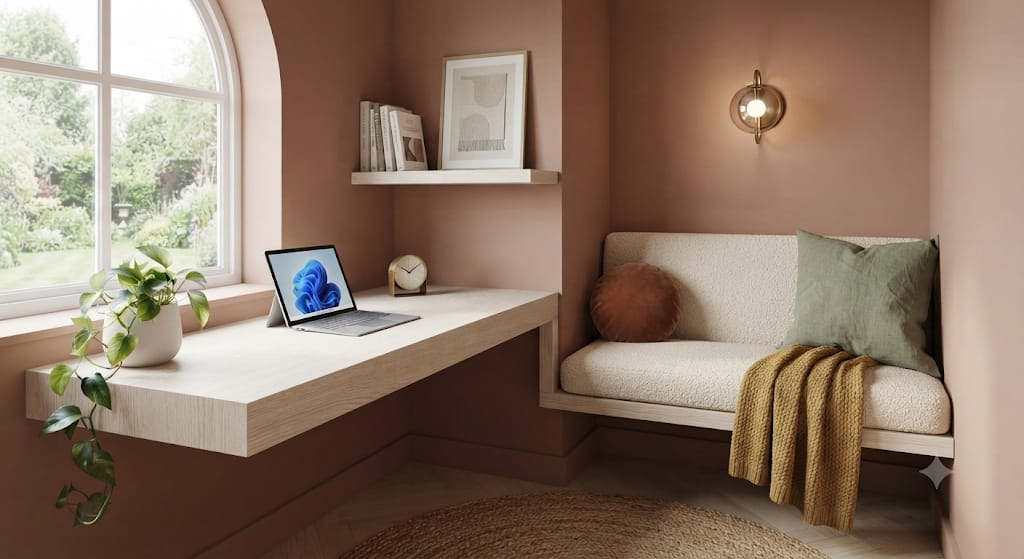
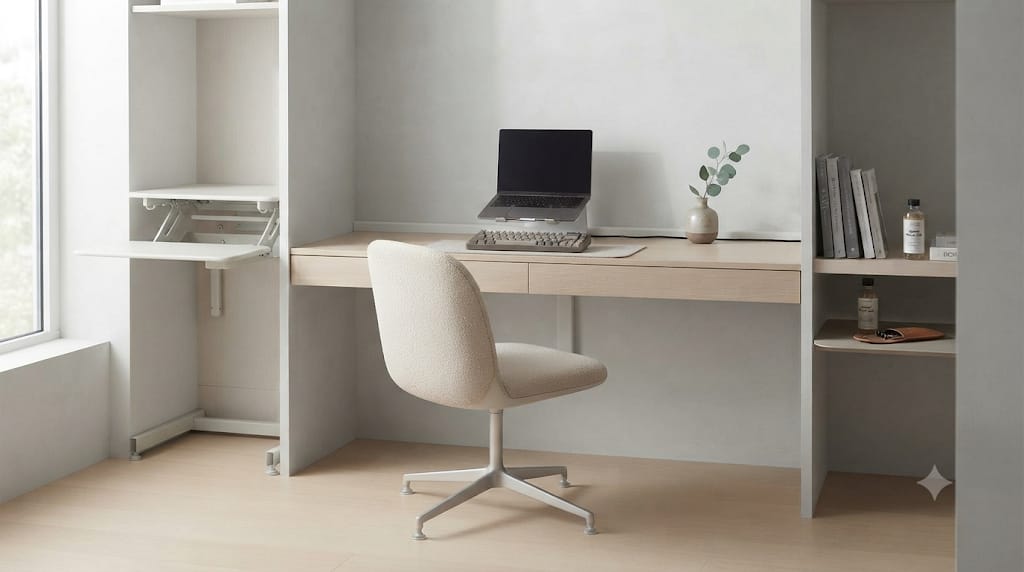
Desk setups have transformed from utility workspaces into personalized, high-performance environments. Whether for coding late into the night, editing high-resolution video, or streaming games, lighting plays a central role in focus, eye comfort, and overall visual appeal.
Task lighting—such as monitor light bars or desk lamps—illuminates the physical work surface. Ambient lighting balances the surrounding environment. Without proper ambient light, the sharp contrast between a bright screen and a dark room causes visual fatigue, eye strain, and headaches.
The smart RGB corner floor lamp addresses this issue efficiently. Positioned behind or alongside a desk setup, it casts indirect light against vertical walls, transforming harsh dark corners into soft, immersive backdrops.
This guide covers everything required to choose, configure, and optimize a smart RGB corner floor lamp for a modern desk setup.
1. Why Corner Ambient Lighting Matters for Workspace Design
Workspaces often rely on top-down ceiling lights or direct desktop lamps. Ceiling fixtures produce harsh downlighting, long shadows, and unwanted glare on monitor screens. Desktop lamps reduce dark spots on key surfaces but clutter the desk, consuming valuable real estate.
An RGB corner floor lamp solves these spatial and visual problems through indirect wall bouncing.
1.1 The Physics of Wall Bouncing and Indirect Illumination
When a light source faces a matte wall—such as drywall painted in flat or eggshell white—the wall acts as a massive optical diffuser. Instead of a direct point source piercing the eyes, light spreads outward across the vertical surface.
This soft diffusion yields two key benefits:
- Contrast Reduction: It bridges the luminance gap between a bright 350-nit monitor and the pitch-black wall behind it, easing eye strain during long working hours.
- Perceived Depth: Illuminating the rear boundary of a room pushes the visual back wall away, making small home offices or bedroom nooks feel significantly larger.
1.2 Reclaiming Desktop Real Estate
Desk real estate is limited. High-end setups prioritize monitor arms, studio reference monitors, mechanical keyboards, and audio interfaces. Adding large desk lamps or accent lights further crowds the surface. A corner floor lamp features a compact base—often under eight inches in diameter or constructed with a flat right-angle foot—allowing it to slide into the dead space behind a desk without occupying surface area.

2. Technical Specifications That Separate Premium Lamps from Budget Options
Not all corner floor lamps deliver the same results. Lower-cost options sold on generic marketplaces often underperform due to poor diffusion, low light output, and limited integration. To ensure high quality, focus on these critical hardware specifications.
2.1 RGB vs. RGBIC vs. RGBWW (Understanding Chip Architecture)
The internal LED architecture dictates how color and white light render across the lamp body:
- Standard RGB: Every LED diode along the strip changes color simultaneously. The entire pole displays only one solid color at a time.
- RGBIC (RGB with Independent Control): Integrated circuit (IC) chips sit alongside the LEDs, dividing the strip into individually addressable zones. This design creates smooth color gradients, flowing rainbow effects, and complex motion profiles.
- RGBWW / RGBICW: Incorporates dedicated warm white (typically 2700K) and cold white (up to 6500K) LED diodes alongside the RGB chips. Plain RGB attempts to produce white light by mixing red, green, and blue at full power, producing a harsh, bluish-tinted light with a poor Color Rendering Index (CRI). RGBWW offers true, high-CRI white light suitable for professional daytime work, switching to rich color accents after hours.
2.2 Luminous Flux and Diffusion Density
Accent lighting requires adequate brightness to properly illuminate a wall. Many cheap corner lamps output fewer than 400 lumens, making them invisible in ambient daylight and underwhelming at night. Look for lamps outputting at least 1,000 to 1,500 lumens for primary ambient coverage.
Additionally, pay attention to the optical diffuser shield covering the LED channel. High-end lamps use thick, frosted silicone or extruded polycarbonate diffusers that fully eliminate “hot-spotting”—the distracting look of individual LED dots visible through the lens. The goal is a continuous beam of light.
2.3 Structural Stability and Footprint Design
A tall, thin light column can tip easily if bumped by an office chair or cable run. Prioritize lamps built with heavy aluminum alloy housings over thin plastic tubes. Look for bases with weighted cast-iron plates or low-profile right-angle legs designed to slide flat beneath baseboards and desk legs.

3. Smart Ecosystems and Automation Protocols
A modern desk setup relies on seamless integration. Controllable lighting should fit smoothly into wider smart home automation systems without requiring manual switch flips or extra apps.
3.1 Native Smart Home Platforms
- Matter over Wi-Fi / Thread: Matter represents the current gold standard for smart home cross-compatibility. A Matter-certified floor lamp pairs instantly across Apple Home, Google Home, Amazon Alexa, and SmartThings without third-party cloud bridges.
- Apple HomeKit: HomeKit compatibility allows control via Siri, macOS Control Center widgets, or automated routines synced with Mac focus modes.
- Amazon Alexa & Google Assistant: Essential for simple voice commands, scene switching, and schedule automation.
3.2 Screen Syncing and Gaming Integration
For immersive gaming and media setups, select light columns that sync directly with screen content or desktop audio:
- Razer Synapse / SignalRGB / OpenRGB: Software-based desktop integrations sync the floor lamp’s RGB zones with PC peripherals, game actions, or system temperatures without needing physical cameras.
- HDMI Sync Boxes and Camera Systems: Systems like Philips Hue Play or Govee Envisio use hardware capture to extend on-screen visual effects onto the back wall in real time

4. Top Smart RGB Corner Floor Lamps for Desk Setups
Here is an analysis of the top smart RGB corner floor lamps designed for workspace integration.
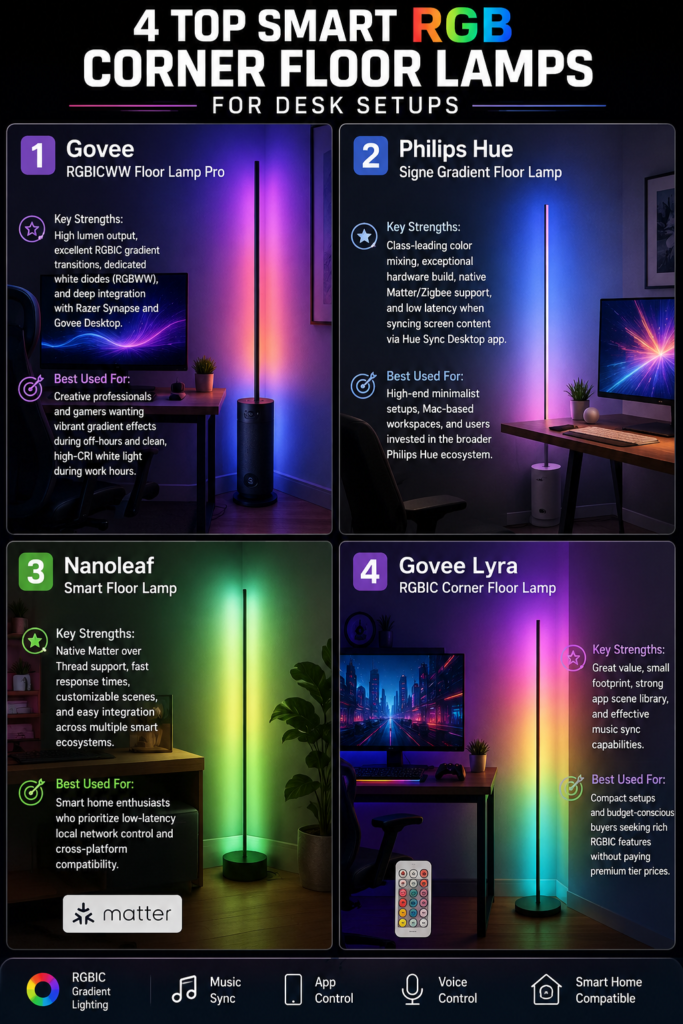
4.1 Govee RGBICWW Floor Lamp Pro
Govee dominates the smart lighting space with high-density LED arrays and deep software features. The Floor Lamp Pro stands out with its integrated Bluetooth speaker in the base, high lumen output, and smooth zone control.
- Key Strengths: High lumen output, excellent RGBIC gradient transitions, dedicated white diodes (RGBWW), and deep integration with Razer Synapse and Govee Desktop.
- Best Used For: Creative professionals and gamers wanting vibrant gradient effects during off-hours and clean, high-CRI white light during work hours.
4.2 Philips Hue Signe Gradient Floor Lamp
The Philips Hue Signe Gradient represents the peak of build quality, color accuracy, and software reliability. Constructed from sleek architectural aluminum, it integrates seamlessly into the Zigbee-powered Philips Hue ecosystem.
- Key Strengths: Class-leading color mixing, exceptional hardware build, native Matter/Zigbee support, and low latency when syncing screen content via the Hue Sync Desktop app.
- Best Used For: High-end minimalist setups, Mac-based workspaces, and users invested in the broader Philips Hue ecosystem.
4.3 Nanoleaf Smart Floor Lamp
Nanoleaf is known for modular wall panels, and its floor lamps bring that same deep customization to a vertical pole design. With native Matter support over Thread, it delivers fast, reliable wireless connectivity.
- Key Strengths: Native Matter over Thread support, fast response times, customizable scenes, and easy integration across multiple smart ecosystems.
- Best Used For: Smart home enthusiasts who prioritize low-latency local network control and cross-platform compatibility.
4.4 Govee Lyra RGBIC Corner Floor Lamp
The Govee Lyra is a popular mid-range option. It features a slim, brushed-aluminum silhouette, a compact base, and an included RF remote alongside full app integration.
- Key Strengths: Great value, small footprint, strong app scene library, and effective music sync capabilities.
- Best Used For: Compact setups and budget-conscious buyers seeking rich RGBIC features without paying premium tier prices.
5. Optimal Placement and Styling Strategies
Simply purchasing a high-end lamp will not guarantee great results; strategic physical placement and light positioning are critical.
5.1 The Angle of Reflection
Never aim the LED lens directly at your seating position. Facing the bare diodes toward your eyes causes glare, visual fatigue, and harsh reflections on monitor screens.
Always rotate the lamp column so the LEDs point directly into the corner walls at a 45-degree angle. This setup bounces the light off both adjacent walls, turning the entire corner into a soft light diffuser.
5.2 Distance from Walls
Placing the light column directly against the drywall creates a narrow band of harsh light. For a wider spread:
- Position the lamp 4 to 8 inches away from the rear and side walls.
- This distance allows the light beam to expand into a smooth, triangular pool of ambient illumination behind the monitor.
5.3 Managing Monitor Refraction and Screen Glare
If you use glossy monitors (such as Apple Studio Displays or OLED panels), ambient light behind the display can sometimes reflect off side walls and hit the screen at an acute angle. To prevent screen glare:
- Ensure the lamp pole sits slightly behind the front plane of the monitor screen.
- Lower the lamp’s brightness setting to match your display’s output (usually 20% to 40% intensity is ideal for night work).

6. Lighting Configurations for Work, Gaming, and Content Creation
A smart RGB corner floor lamp adjusts to support different activities throughout the day.
6.1 Scenario A: Daytime Focus & High-Productivity Work
- Color Temperature: 4000K to 5000K (Neutral to Cool White).
- Brightness Level: 70% to 90%.
- Why it works: Cool white light suppresses melatonin production, boosting alertness and focus. Diffused cool light behind the monitor reduces eye strain caused by bright spreadsheets, documents, and web pages.
6.2 Scenario B: Nighttime Coding & Creative Work
- Color Temperature: 2700K to 3000K (Warm White) or Deep Amber/Warm Orange accents.
- Brightness Level: 30% to 50%.
- Why it works: Warm tones reduce blue light exposure late at night, easing eye strain while preserving melatonin production for better sleep.
6.3 Scenario C: Immersive Gaming & Media Consumption
- Lighting Mode: Screen Sync or Dynamic RGBIC Gradient.
- Palette: Complementary colors synced with in-game environments (e.g., deep blues and cyans for sci-fi titles; warm ambers and oranges for cozy games).
- Why it works: Expanding in-game colors beyond the display frame deepens immersion and creates a cinematic atmosphere.
6.4 Scenario D: Video Calls & Content Creation Backdrop
- Lighting Mode: Static Soft Pastel Accent (e.g., Soft Teal, Magenta, or Soft Warm Gold).
- Brightness Level: 40% to 60%.
- Why it works: A subtle color wash on the background wall creates visual separation between you and your room on camera, giving video calls and streams a polished, professional look.

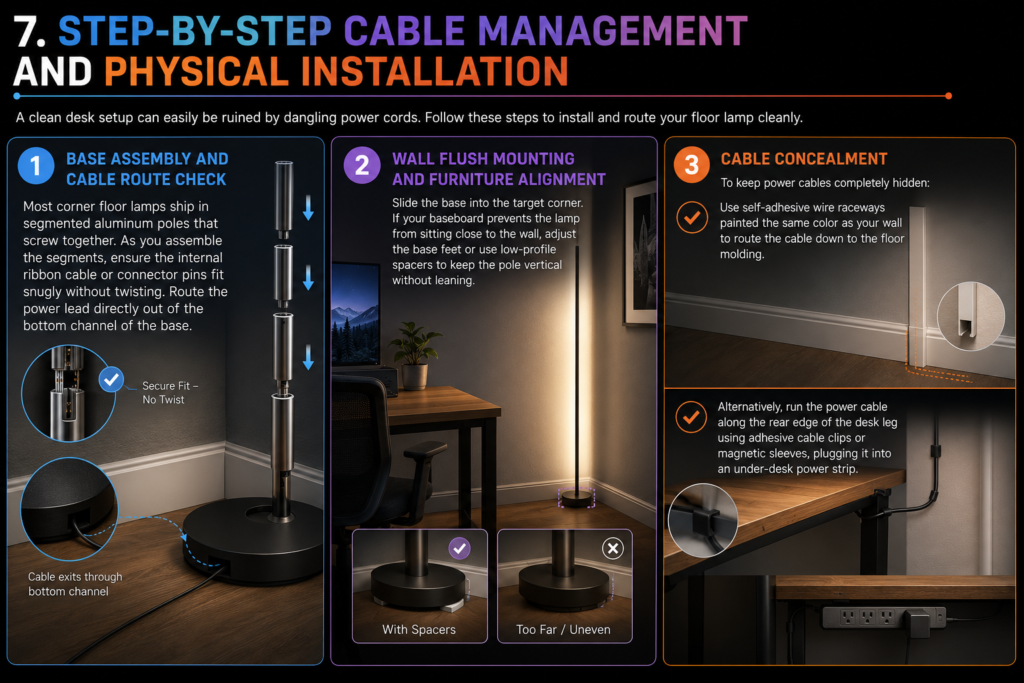
7. Step-by-Step Cable Management and Physical Installation
A clean desk setup can easily be ruined by dangling power cords. Follow these steps to install and route your floor lamp cleanly.
7.1 Step 1: Base Assembly and Cable Route Check
Most corner floor lamps ship in segmented aluminum poles that screw together. As you assemble the segments, ensure the internal ribbon cable or connector pins fit snugly without twisting. Route the power lead directly out of the bottom channel of the base.
7.2 Step 2: Wall Flush Mounting and Furniture Alignment
Slide the base into the target corner. If your baseboard prevents the lamp from sitting close to the wall, adjust the base feet or use low-profile spacers to keep the pole vertical without leaning.
7.3 Step 3: Cable Concealment
To keep power cables completely hidden:
- Use self-adhesive wire raceways painted the same color as your wall to route the cable down to the floor molding.
- Alternatively, run the power cable along the rear edge of the desk leg using adhesive cable clips or magnetic sleeves, plugging it into an under-desk power strip.
8. Common Mistakes to Avoid
Avoid these frequent mistakes when setting up a smart corner floor lamp:
- Buying Pure RGB Instead of RGBWW: Pure RGB lamps lack dedicated white LEDs, yielding poor white tones for daytime work. Always select an RGBWW or RGBICW model for work-from-home spaces.
- Exposing the Light Strip Directly: Never face the LED lens toward your line of sight. Always face it toward the wall to achieve indirect, diffused light.
- Over-Saturating Brightness: Running ambient lighting at 100% brightness at night can overwhelm the room and distract from screen content. Ambient lighting should complement the monitor display, not outshine it.
- Ignoring Ecosystem Compatibility: Purchasing a lamp that relies on a standalone app with no Smart Home, Matter, or desktop integration limits automation options and adds extra steps to daily use.

9. Frequently Asked Questions
9.1 Can an RGB corner floor lamp replace my main room light?
No. Corner floor lamps serve as accent and ambient light sources. While high-lumen models (1,500+ lumens) illuminate a large portion of a small room, they are designed to bounce light off walls rather than flood a space from above. Pair them with ceiling fixtures or direct task lighting for a complete lighting strategy.
9.2 Will an RGB corner floor lamp cause glare on my monitor?
Not if placed correctly. Because the lamp sits behind or alongside the desk and faces the wall, the light bounces away from your eyes and screen. Glare only occurs if the lamp is placed in front of the screen or aimed directly at a reflective panel.
9.3 What is the difference between RGB and RGBIC?
RGB lamps change the entire pole to one single color at a time. RGBIC lamps feature independent control chips along the pole, allowing multiple colors to render simultaneously. This enables dynamic gradients, flowing light profiles, and customizable lighting zones.
9.4 How do I control my corner lamp from my PC or Mac?
You can control compatible lamps using desktop apps such as Philips Hue Sync, Govee Desktop, Razer Synapse, or OpenRGB. If your lamp supports Matter, HomeKit, or Google Home, you can also adjust settings using desktop widgets or voice commands.
10. Final Verdict: Choosing the Right Lamp for Your Workspace
Adding a smart RGB corner floor lamp is one of the most effective upgrades for any modern desk setup. It provides balanced ambient illumination, reduces eye fatigue, reclaims desktop space, and adds a clean aesthetic to your workspace.
- For absolute color quality, premium build construction, and seamless ecosystem integration, choose the Philips Hue Signe Gradient Floor Lamp.
- For the highest feature density, brightest gradient effects, and deep PC peripheral syncing at a competitive price, select the Govee RGBICWW Floor Lamp Pro.
- For native cross-platform compatibility across Apple, Google, and Amazon platforms, go with a Matter-over-Thread option like the Nanoleaf Smart Floor Lamp.
Position the lamp facing the corner walls, match its brightness to your display, and automate its schedules to build a balanced, eye-friendly, and high-performance environment for work and gaming.